
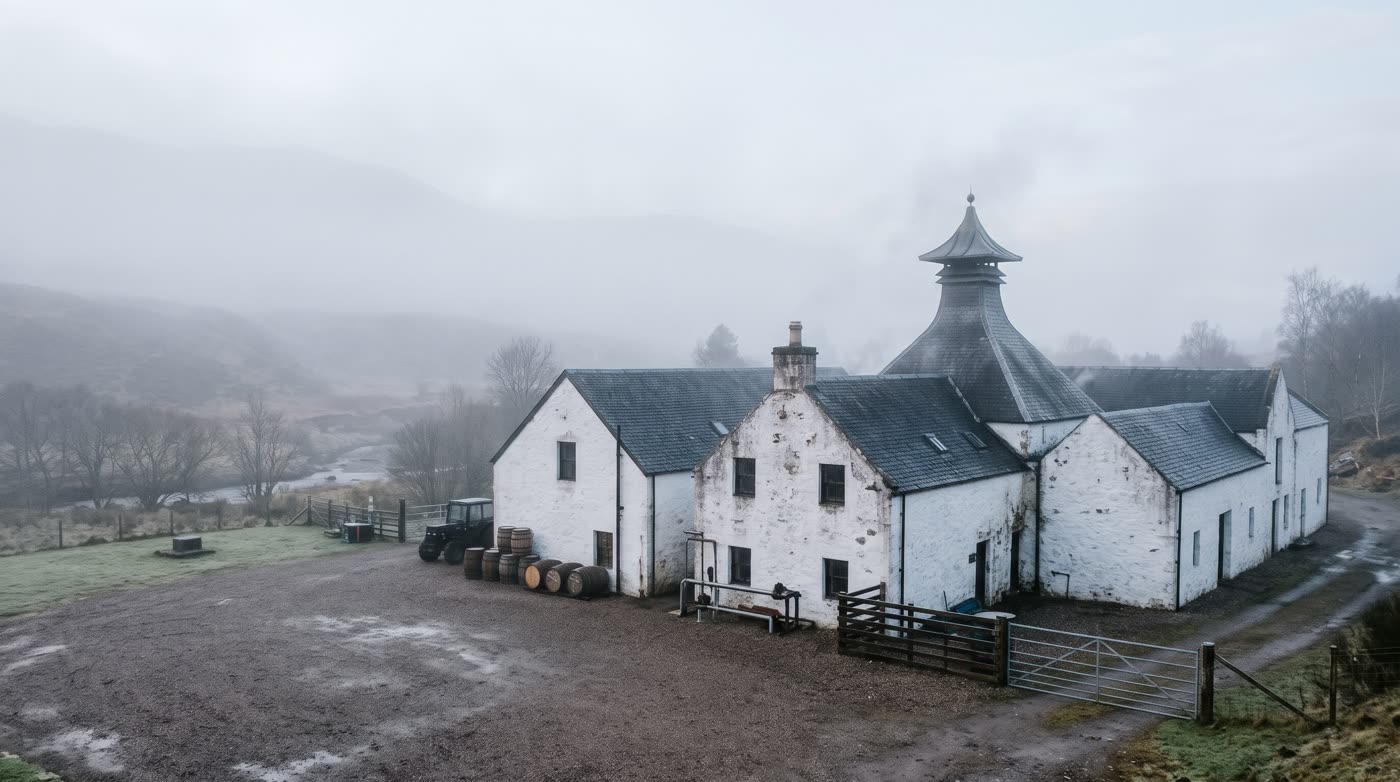
Glen Damo is a small Scottish whisky distillery that runs on email and hope.
Cask requests arrive by email and get lost. A release brief and a launch deck take days. Approvals happen in a corridor. And the cask spreadsheet is one that nobody trusts.
That’s the business at the centre of my new YouTube series. Instead of teaching Copilot one button at a time with made-up “Contoso” examples, I’ve taken one business with real problems and fixed them, one short video at a time. Series 1 is all no code: if you have a Microsoft 365 Copilot licence, you can do everything in it today, without writing a single formula.
👉 Watch the whole Series 1 playlist on YouTube
Glen Damo and its team are fictional. The people and the distillery are AI-generated images, the emails and files are sample data, and the narration is an AI clone of my own voice. The Copilot screens are real.
Why a story, and why no code first?
Most Copilot training shows you a feature in isolation. You see a prompt, you see an answer, and you’re left wondering how it fits into a real working week.
I wanted something different:
- One business, one story. Every episode moves Glen Damo forward. The emails from episode 1 come back in the finale. The brief from episode 2 becomes the deck in episode 3, and the knowledge behind the agent in episode 4.
- One thing per video. Each episode is about five minutes and teaches one skill. You can arrive from search, watch one, and it makes sense on its own.
- No code before low code. Most people in a business will never build a Power App. But almost everyone can learn to prompt well, check what Copilot gives back, build a simple agent and hand over a job. That’s where the biggest everyday time savings are, so that’s where we start.
- Check, then refine. Copilot isn’t magic, and the series doesn’t pretend it is. When Copilot misses something, the video shows you how to spot it and fix it with a follow-up, because that’s the real skill.
The series at a glance
| Episode | What you’ll learn | Who’s in it |
|---|---|---|
| Trailer | Meet Glen Damo and the journey from no code to low code | The whole team |
| 1. Your first hour with Copilot | Copilot Chat and three prompting basics: messy emails into one table | Callum and Morag |
| 2. Copilot in Word | Rough notes, a photo and a tasting log into a one-page brief | Isla |
| 3. Copilot in PowerPoint | A Word document into a styled launch deck, then fix it | Isla |
| 4. Your first agent | Build an agent with no code that answers from your own files | Isla and Morag |
| 5. Copilot Cowork | Hand over a whole job: customer replies with the deck attached | Morag |
What you need: a Microsoft 365 Copilot licence for every episode. The finale uses Copilot Cowork, which also needs Copilot Credits.
Trailer: Meet Glen Damo
What: a two-minute introduction to the distillery, the team and their problems, plus a map of both series: six no-code episodes with Microsoft 365 Copilot, then six low-code episodes with the Power Platform.
Why: you’ll learn faster when you care about the problem. Lost request emails, slow documents and hallway approvals are problems almost every small business has, whisky or not.
Who: all four of them. Morag runs operations, Callum runs the warehouse, Isla runs marketing, and Fraser is IT. (There’s a whole post about them: Meet the Glen Damo team.)
Episode 1: Your first hour with Copilot
What: Copilot Chat reads eight messy request emails in a shared inbox and turns them into one clean table. On the way you learn the three prompting basics that make it work:
- Say the goal. What do you actually want?
- Name the source. Which mailbox, file or site should Copilot look in?
- Describe the answer. A table? Which columns?
Then you check the answer against its sources (including the dates Copilot had to guess), refine it with a follow-up, take it into Excel, and try the Researcher agent for a sourced report on whisky release trends.
Why: the first prompt most of us type gets a summary to read, not something you can work from. This episode is the difference between “Copilot is a bit vague” and “Copilot just did my Monday morning”.
Who: Callum emails a request from his phone, then sends another one a day later asking if anyone saw the first. Morag has to make sense of the whole inbox.
Top tip: type @ in the prompt box to bring in an agent such as Researcher.
Episode 2: Copilot in Word
What: Isla turns three sources into a one-page release brief for the new single malt, the Haar: a photo of her handwritten notebook, Morag’s tasting log in Word, and her own thoughts typed into the prompt. You’ll check the draft against its sources, step through every edit before you keep it, change the tone of the whole brief, rewrite one line with Edit with Copilot, and ask Copilot for a second opinion before it goes out.
Why: a release brief used to take Isla days. Most of that time goes on the blank page and the first draft, which is exactly what Copilot is good at. Your job moves from writing to checking and shaping.
Who: Isla, with a deadline from Morag.
Top tips: type word.new in your browser for a new document; Windows + Shift + S then Ctrl + V pastes a screenshot straight into the prompt; and version history is your safety net if you don’t like what Copilot changed.
Episode 3: Copilot in PowerPoint
What: Isla points Copilot in PowerPoint at her Word brief and gets a styled launch deck. Then the real work: read what Copilot tells you about its own output (prices it kept as “to be confirmed”, photos it generated), add a countdown slide in the right place, and turn a slide that reads like a list into something people can read from the back of the room.
Why: a first draft deck is easy now. The skill is knowing how to steer it: one slide at a time, from the document you already wrote.
Who: Isla again, with the launch deck due on Monday.
Top tips: powerpoint.new; select the slide first so Copilot changes only that one; ask for speaker notes; and a first look at brand kits.
Episode 4: Your first agent (no code)
What: Isla builds the Glen Damo Whisky Guide in Agent Builder: a description, instructions, suggested prompts, and a linked SharePoint folder as its knowledge (the Product Handbook, the Price and Stock list and the Haar tasting log). It answers “Which sherry cask releases are under £60?” straight from the price list.
Then Morag adds the shop’s first non-whisky gifts (Highland cow soft toys, hats and scarves) to the workbook, and the agent misses them. It explains why when asked, and one line added to its instructions fixes it. Finally, it’s shared with the team.
Why: every team has the same questions landing on the same person every day. An agent built on your own files answers them, and because the folder is linked rather than uploaded, it stays up to date when the files change.
Who: Isla builds it, Morag owns the price list.
Top tips: fill in the description (Preview won’t test the agent without one); link the folder instead of uploading files; tell the agent which file holds what; and check the knowledge access Copilot offers when you share.
Episode 5: Copilot Cowork, hand over the whole job
What: the Series 1 finale. Three trade customers want to order the Haar, and Morag has no time to answer them. She gives Copilot Cowork one plain-English prompt: find the unread trade enquiries in the shared inbox, reply to each with the Haar details and trade price, attach the launch deck, and save them as drafts.
Cowork reads the price list and the distributor policy, holds each customer to the 120-bottle limit, leaves a parent’s email about a Highland cow soft toy alone without being told, and asks for approval before every draft and attachment. It ends with its own list of what to check before sending. Then you get to pause and check each reply yourself, against the email it answers and the files its numbers came from. Would you hit send?
Why: this is the jump from “Copilot helps me with a task” to “Copilot does the job and I review it”. That’s powerful, and it’s exactly why knowing how to check its work matters.
Who: Morag, and three fictional trade customers.
Top tips: read the approval card, not the chat; keep the “Sent by Copilot Cowork” line; and type /cost to see what a job used (this one was 71 credits, about 71 cents).
What you’ve learned by the end of Series 1
Five videos, no code, and Glen Damo has gone from an inbox nobody can follow to:
- a clean table of every request, built from messy emails
- a release brief and a launch deck, drafted in minutes instead of days
- an agent the whole team can ask about products, prices and stock
- customer replies drafted, priced and attached for Morag to approve
The skills behind it are the ones that last: say the goal, name the source, describe the answer, then check and refine.
As Morag says at the end of the finale: Copilot can do the work. Next series, we stop the work arriving by email at all.
Coming soon: Series 2, Low Code
Series 2 takes the same distillery into the Power Platform: a cloud flow and approvals, Callum’s phone app, a Cask Register in Dataverse built by Cowork, a model-driven app, an agent that takes action, and a finale where a no-code maker and a pro developer work on the same app. There’s a preview of every episode, and a proper introduction to the team, here: Meet the Glen Damo team, and what’s next in Series 2.
Coming soon: the Glen Damo course
Want to learn this hands-on, with the materials?
I'm turning the series into a course: the same Glen Damo story, plus the sample emails, documents, price list and data so you can build every episode yourself, step-by-step lab guides, and checkpoints to test what you've learned.
Register your interest →No spam. One email when the course opens, and you can unsubscribe at any time.
Questions, or a business problem you’d like to see Glen Damo tackle? Leave a comment on any of the videos or come and say hello in the DamoBird365 community on Skool.