Ever wished you could populate an Excel invoice template as easily as a Word template in Power Automate? Excel doesn’t offer a built-in “Populate Template” action, but Office Scripts in Excel On the Web (currently in preview as of March 2021) changes everything. In this post, I’ll show you how to use TypeScript and Office Scripts to dynamically complete an Excel invoice via Power Automate.
Watch the demo here
What I Built
I’ve build a TypeScript routine in Office Scripts that will intuitively accept dynamic data via Power Automate, including arrays and it dynamically fills out an Excel Template Invoice. Not only will it complete the customer details, name, address, invoice number, date etc, it will dynamically complete the rows that make up the item order. If you haven’t discovered Excel Templates it is worth a look. I downloaded the Blue Invoice for my proof of concept.
A Note on TypeScript
Before I get started, I will admit that in the past 24 hours, I have had to learn TypeScript from scratch. I apologies to the seasoned programmers for any obvious mistakes in my code but what I have achieved is a working proof of concept ready for UAT.
The Concept
I have the blue invoice template stored on my OneDrive and will take a copy of this file each time my Power Automate runs, saving a new copy with dynamic name, allowing multiple invoices to be saved. I have prepared two arrays, one for the customer data and another containing the multiple line order details. I also supply my Action with several other data fields, including invoice number, date, vat rate amongst others, all of which can be supplied dynamically if you require. I have prepared my two arrays as follows:
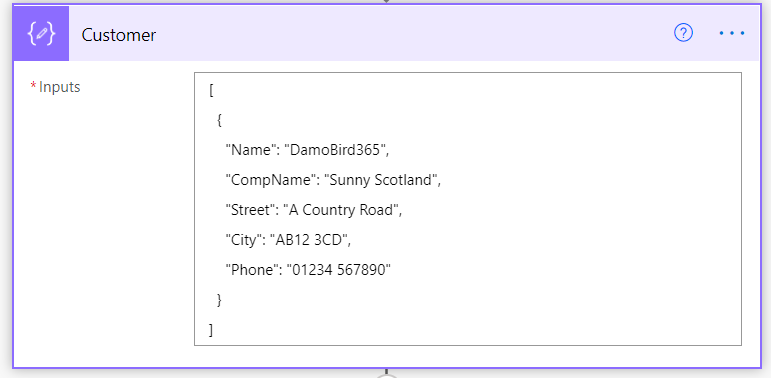
Customer Array
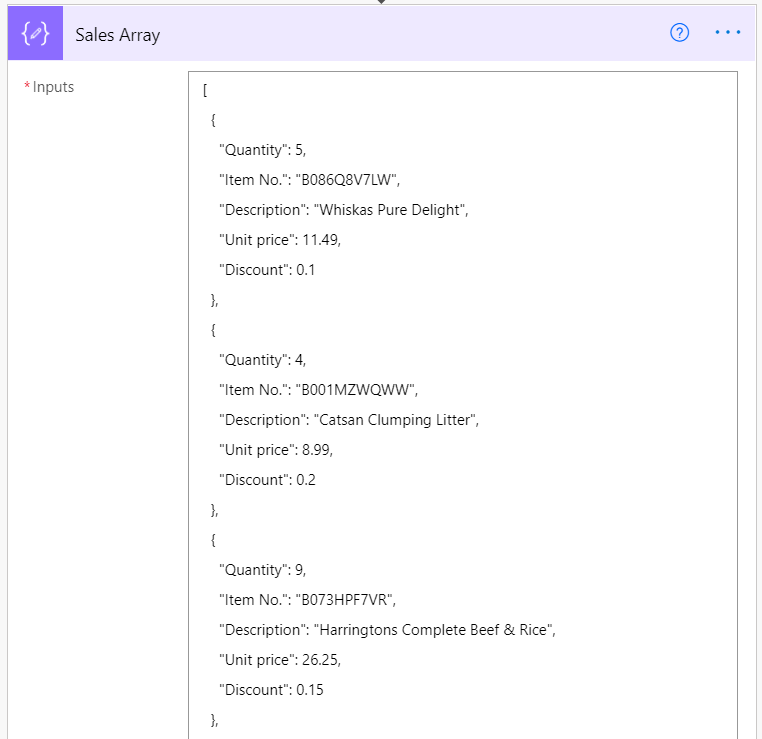
3 of 6 order lines for the above customer
The Cloud Flow
The Cloud flow is currently manually triggered, it copies the template file from One Drive, Composes the two Arrays, and Runs the Excel Script which is in Preview Mode. The flow looks like follows:
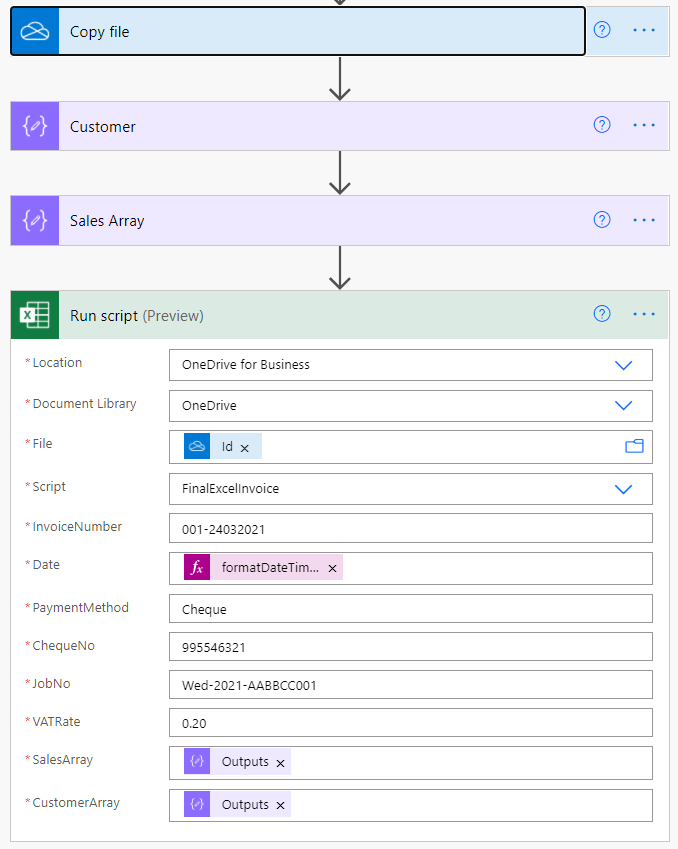
The Cloud Flow
Where Do the Scripts Live?
So where does the script live? Your One Drive for Business Files under Documents -> Office Scripts. This allows you to easily backup and share scripts that you have built, in fact if you read on and reshare this article online and tag me in your tweet or linkedin mention, I will send you a copy of the code. Thanks.
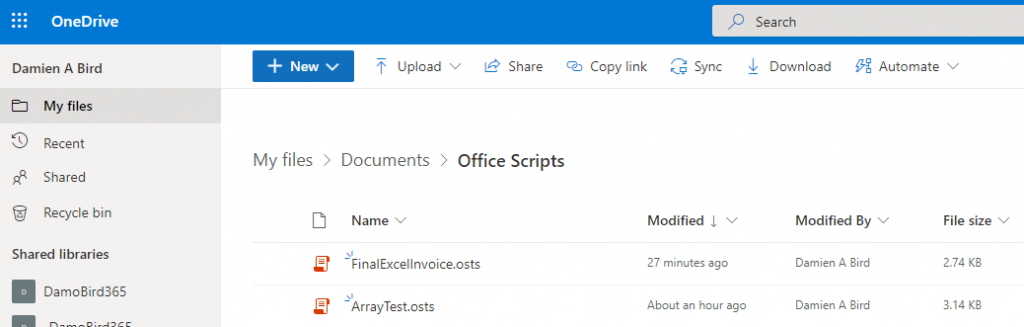
Where do the Scripts Live?
Editing Scripts in Excel Online
Within Excel Online, and only Online, as you cannot edit in the Excel Desktop Client from what I can tell, you can access Automate and All Scripts.
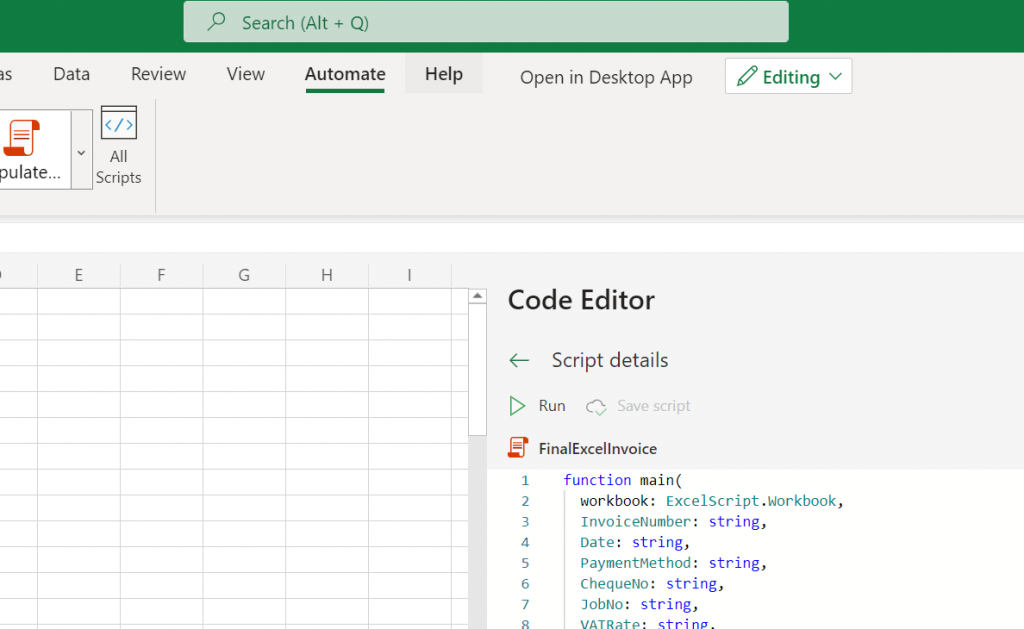
Excel Online - Automate - Scripts
The Result
The Power Automate takes literally a few seconds to run and the Excel Template is populated and ready to send on to your client via the next action or file away for when you next need it.
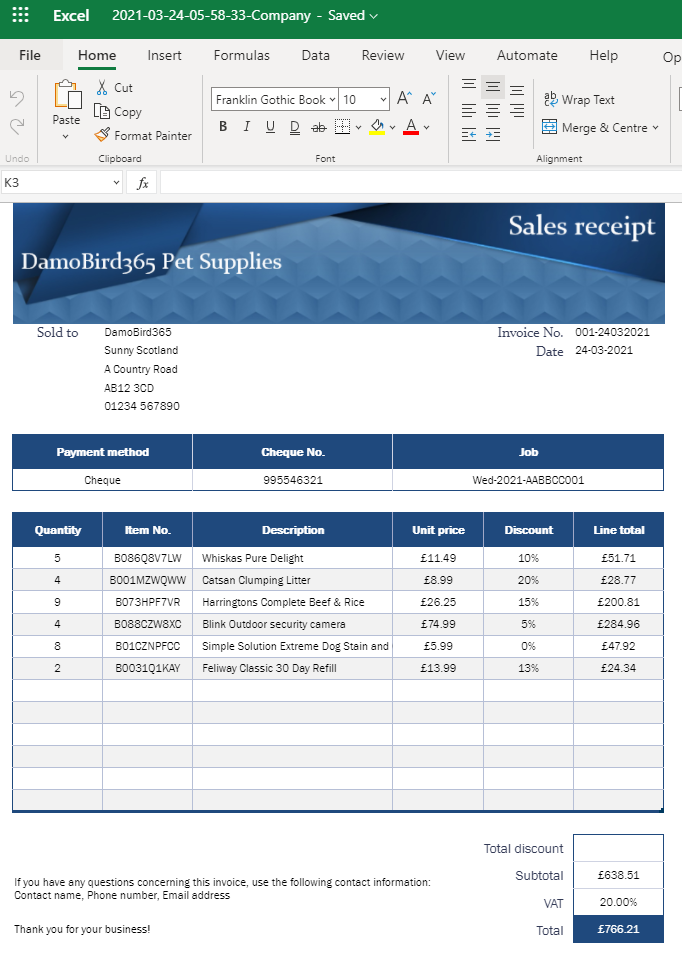
Final Invoice Template
Final Thoughts
What do you think about this? Is it something your business could make use of in Power Automate? Leave your comments below and please share the idea!
Want to read more about Power Automate Ideas? Click here for more!
P.S. The script file is saved on my site. If you search twitter for DamoBird365 #TypeScript you will find the link to the file. Don’t forget to like and retweet.